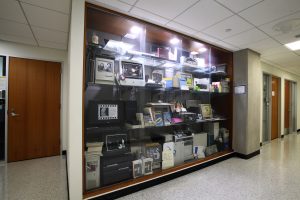
Tucked into the depths of Malone Hall, a glass display case of spiral-bound manuals, mobile gadgets, PC towers, and chunky monitors serves as the JHU Computer Science and ACM Computer History Collection—a tribute not just to old technology, but also to the community that built it.
Originally established by the Johns Hopkins student chapter of the Association for Computing Machinery, the collection is now maintained by the Department of Computer Science’s IT Support Group, which has continued adding documentation, memorabilia, and devices to it. A makeshift plaque next to the case dedicates the amateur exhibit to “futures past and futures that never were, especially that of Nathan Krasnopoler,” a computer science major and active member of the JHU ACM who died in 2011. The university honors his memory with a lecture series that held its latest installment earlier this semester.
The display has become a touchstone not only for remembering Krasnopler, but also for commemorating the technologies and tools used by Hopkins computer scientists over the years. Current students marvel at relics popular before they were born, while faculty and alumni recall the assorted machines fondly.
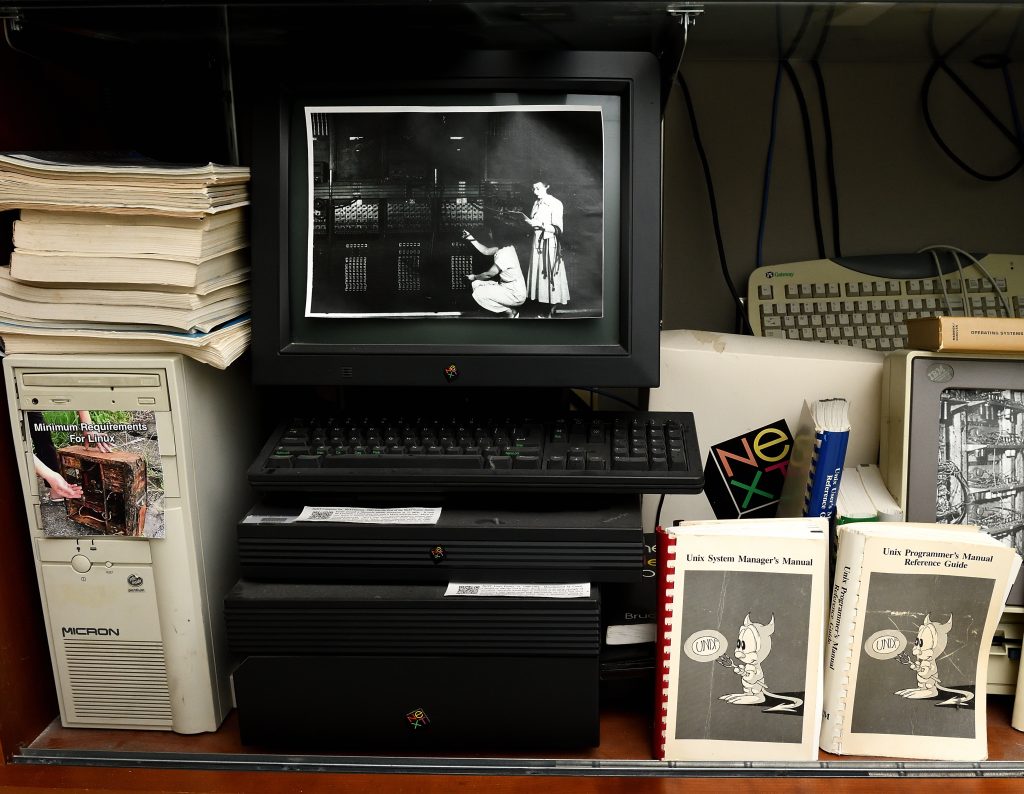
A NeXT computer and its associated hardware. Image Credit: Will Kirk / Johns Hopkins University
“Much of the display was gifted by various faculty when they found out about our efforts,” recalls Nathaniel Wesley Filardo, Engr ’11 (MSE), ’17 (PhD), the original curator of the display and JHU ACM volunteer system administrator. “Certainly that’s how we came to have two NeXT systems from the ’80s—including a rare NeXT laser printer—and a ’90s Apple PowerBook Duo.”
It was on NeXT computers that Assistant Teaching Professor David Hovemeyer remembers discovering the existence of virtual memory: “I noticed when I ran the same program in two different terminal sessions, all of the program variables had the same address in memory in each session, but somehow the variables could have different values in each session,” he says. “This is one of the anecdotes I share with students in Computer Systems Fundamentals when we cover virtual memory.”

A Sun Microsystems stack. Image Credit: Will Kirk / Johns Hopkins University
Hovemeyer also remembers using a Sun Microsystems computer in his grad school years in the late ’90s: “Many of the features we take for granted in modern computing—robust multitasking, virtual memory, windows and graphical user interfaces, networking, 64-bit CPUs—were supported by Unix workstations like this significantly before they were available on ‘mainstream’ computers.”
The system also has a connection to JHU CS—machines like this served as the original department servers, according to Johns Hopkins alumna and Director of Undergraduate Studies Joanne Selinski, Engr ’86 (MSE), ’96 (PhD). She also recalls when Apple donated a number of Macs to the department, which became the foundation for its first undergraduate lab in Croft Hall, then called the New Engineering Building.

A Macintosh Classic II and an eMac. Image Credit: Will Kirk / Johns Hopkins University
As a grad student at Hopkins, Selinski—who is now a teaching professor and also serves as the department’s associate head for education—created a computer literacy course around these computers in the late ’80s, teaching students how to point and click.
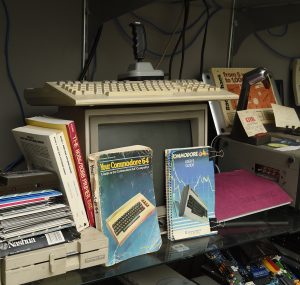
A Commodore 84 and Commodore 64 manuals. Image Credit: Will Kirk / Johns Hopkins University
“Apple had the first GUI, so this was a big deal,” she recalls.
Other donations now housed in the display include Android phones from Google, which Selinski used for another course she taught, as well as a Commodore 128 and its disk drive and monitor, which were a gift from a member of the Baltimore Node makerspace.
“It ran a lovely little demo that included a musical ditty for a few days,” Filardo says. “That is, before the students in the office behind the museum let us know that it was driving them up the wall—oops!”

An IBM 370 System nameplate, keyboard, and hardcover manual. Image Credit: Will Kirk / Johns Hopkins University
The top shelf displays a heavy-duty IBM System 370 nameplate, which Steve DeBlasio, the department’s LAN systems specialist and assistant systems administrator, says “is cool, because I bet there aren’t many left on Earth. The tape deck next to it is cool for the same reason—and who knows, maybe there’s some interesting data on that thing that a PhD candidate will download and discover in the future.”
DeBlasio has been the primary curator of the archive for the past several years, keeping alive a history of the design and nature of computing and communications technology of decades past. To learn more about the specific items in the display, email support@cs.jhu.edu.

IBM data processing tape. Image Credit: Will Kirk / Johns Hopkins University